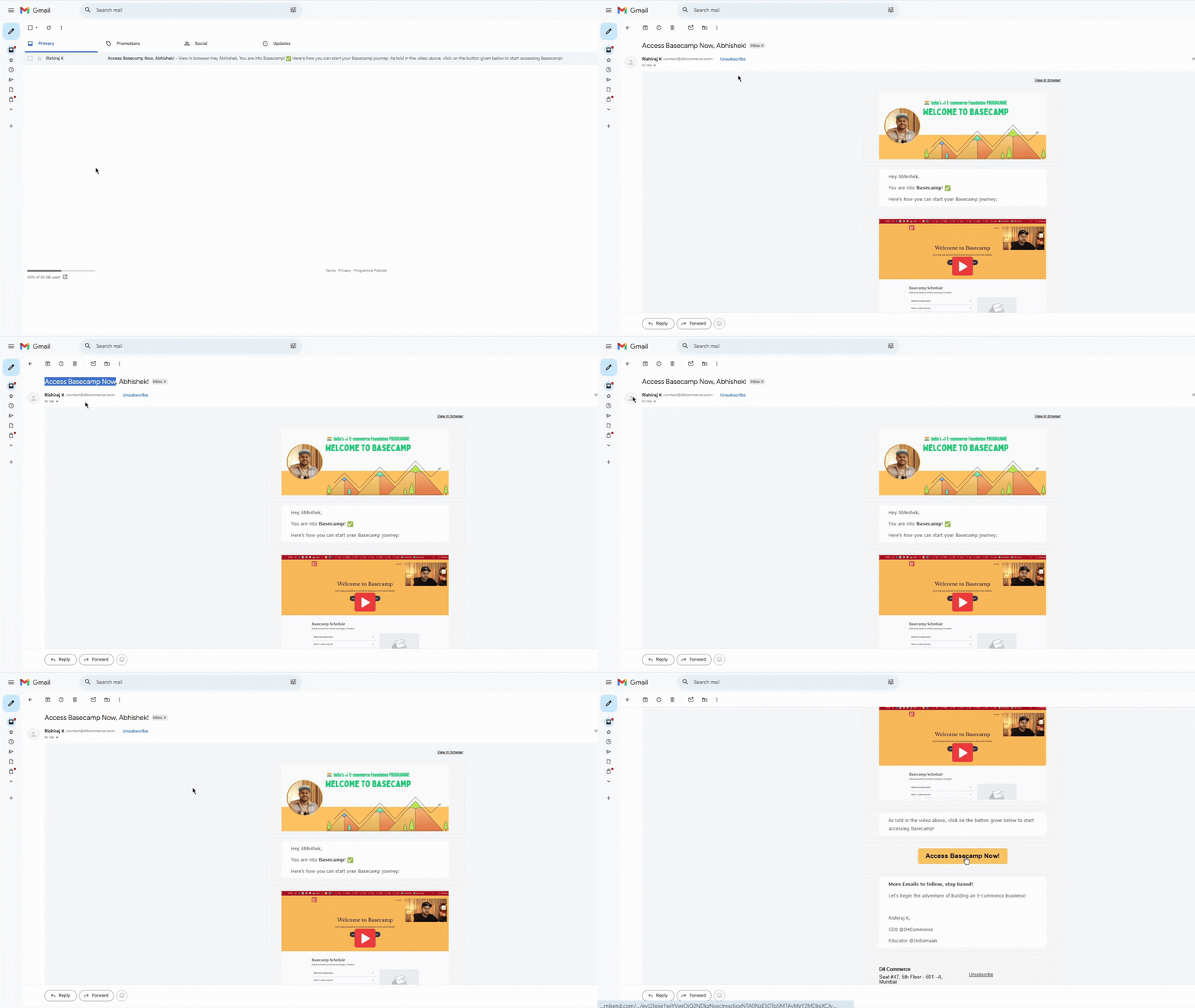
You need to create your learning portal account in order to start with Basecamp.
This can be done via the link shared through email or WhatsApp .
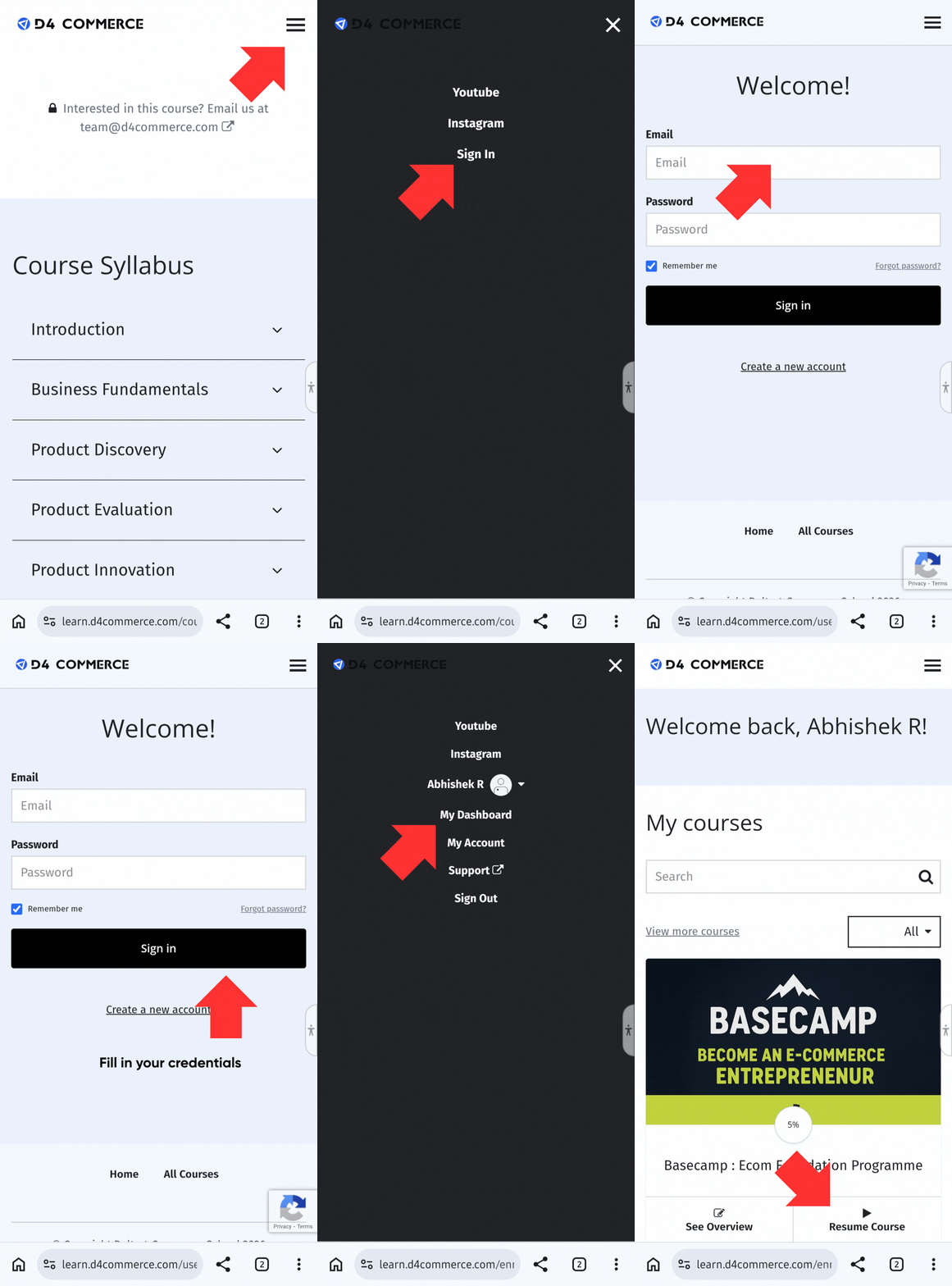
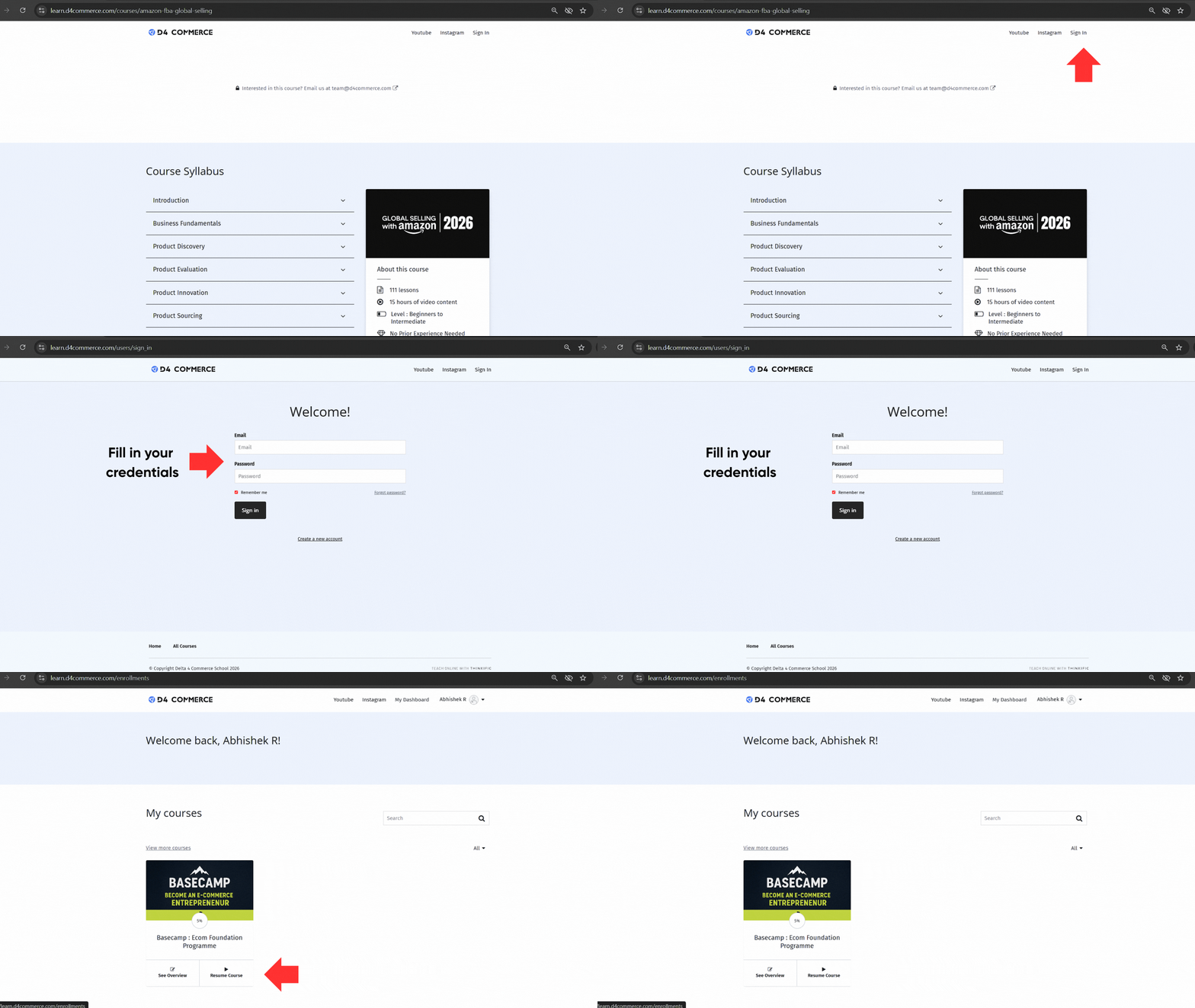
After that, to access Basecamp:
Visit our learning portal.
Click on Sign In.
Enter your email and password.
Start watching Basecamp.
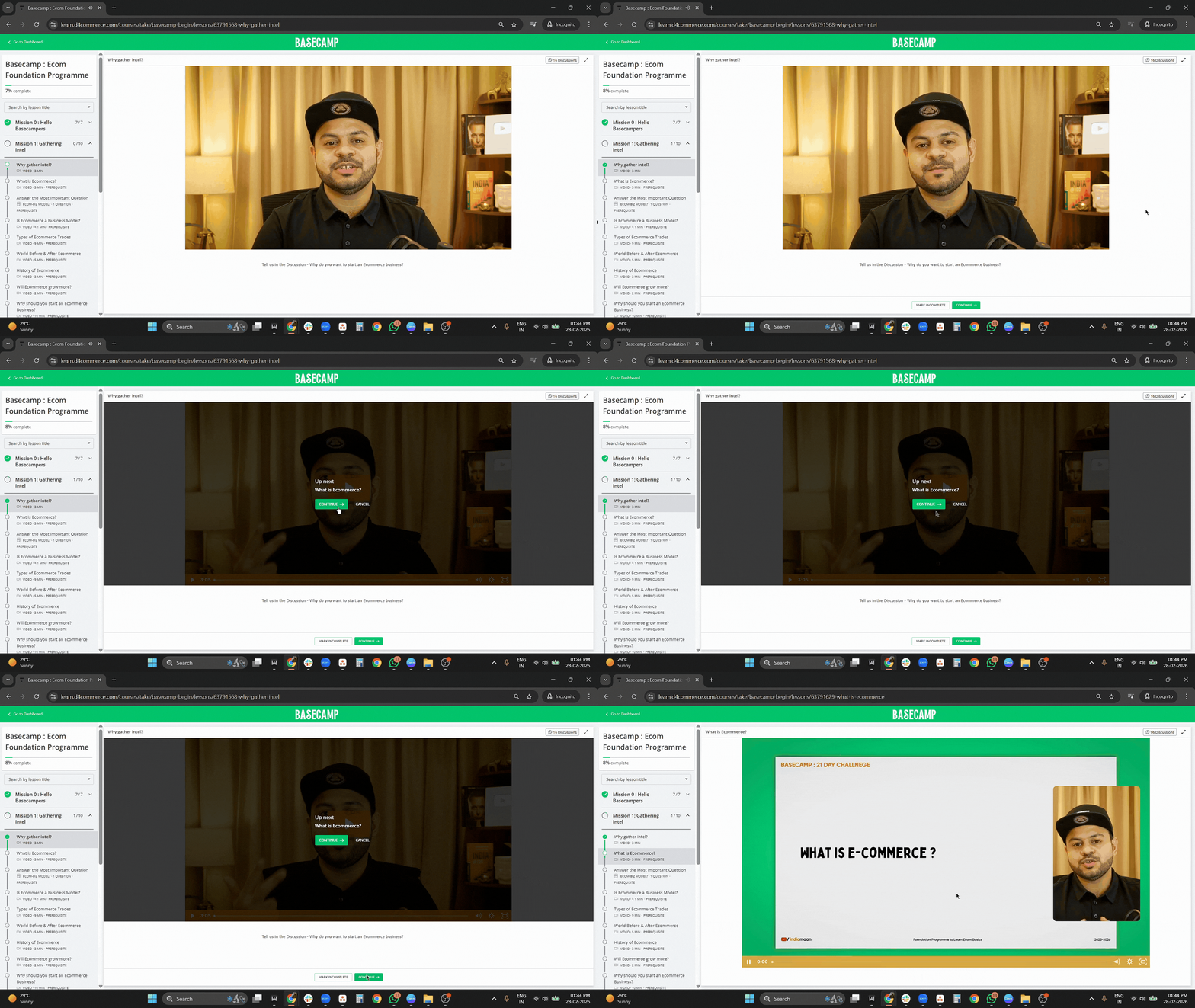
How to watch the next video?
After you have finished watching the current video, there will be a pop-up that tells you "Complete and continue". If you click on that you can move forward to the next video. If the pop-up has closed, you can still click on "Continue" and move to the next video.
I've filled the form but I am not able to move ahead. How do I watch the next videos?
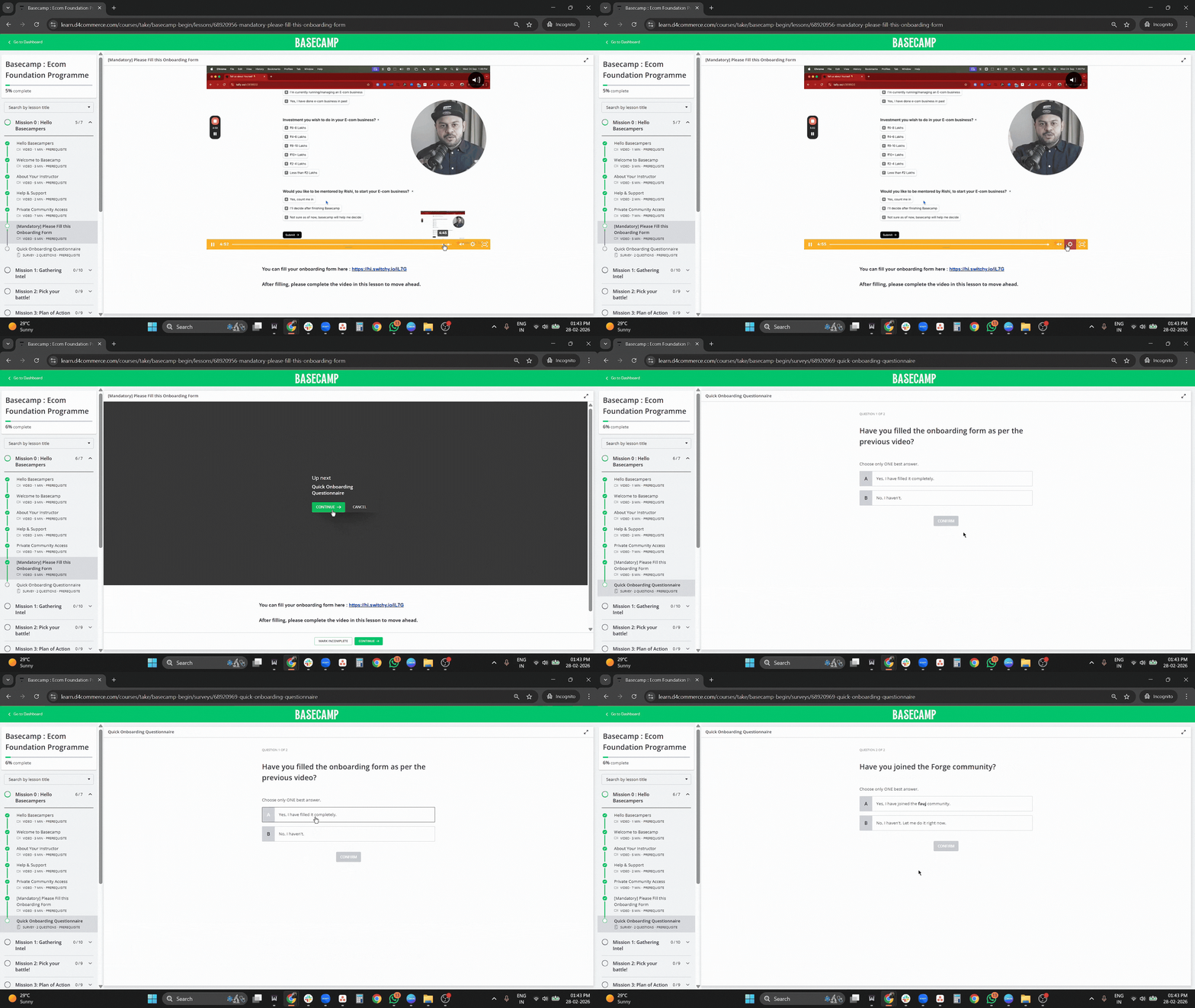
Great! You have filled the form once. You do not need to fill it again. Complete the video of filling the mandatory registration form and then you will find a "Complete and continue" button. Click on it and you'll be able to move forward.
When can I connect with the D4 Commerce Team/Rishi?
After you have finished Basecamp, you will find a link to schedule a Zoom meeting with the D4 Commerce team.